Gamgee App Case Study
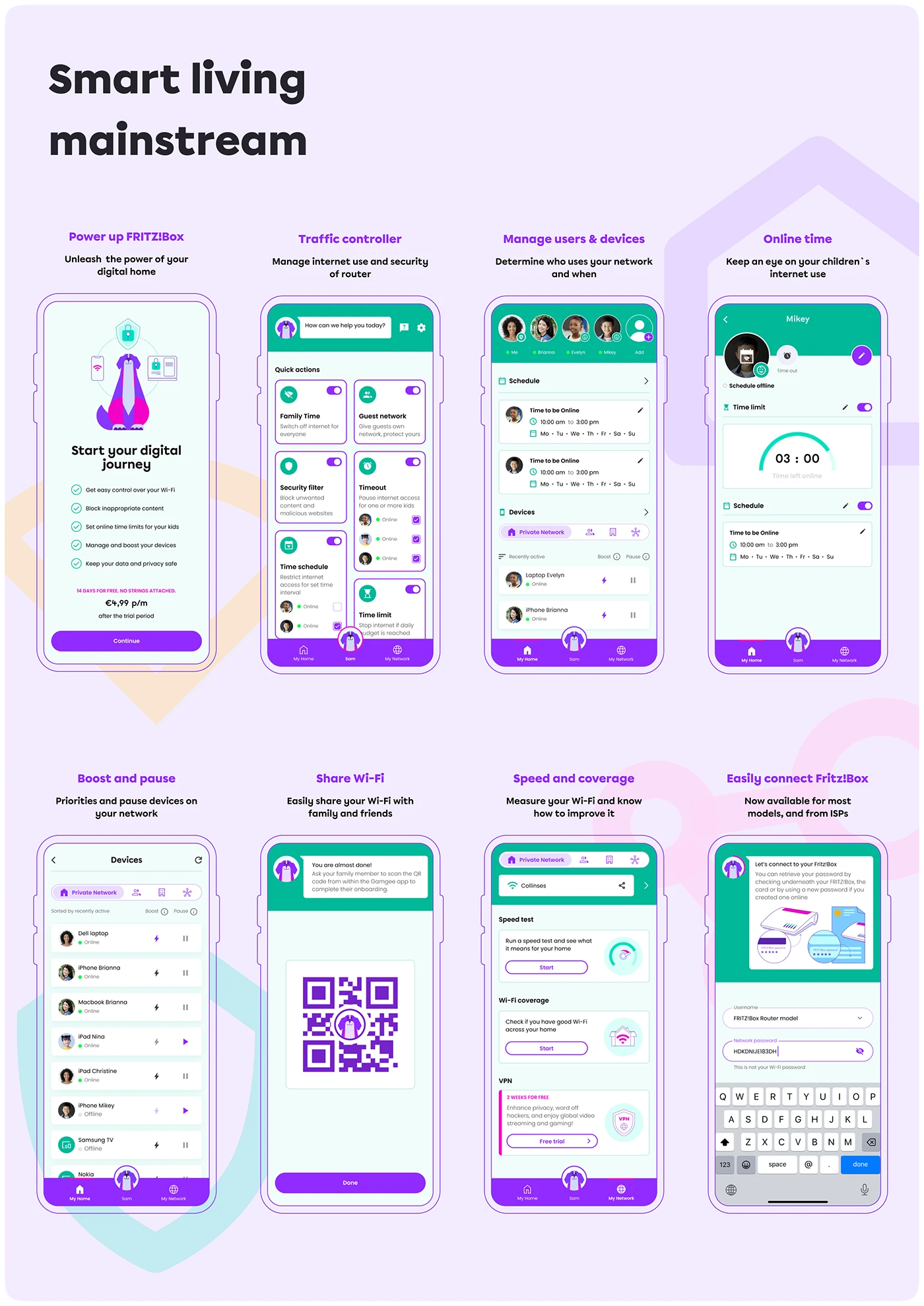
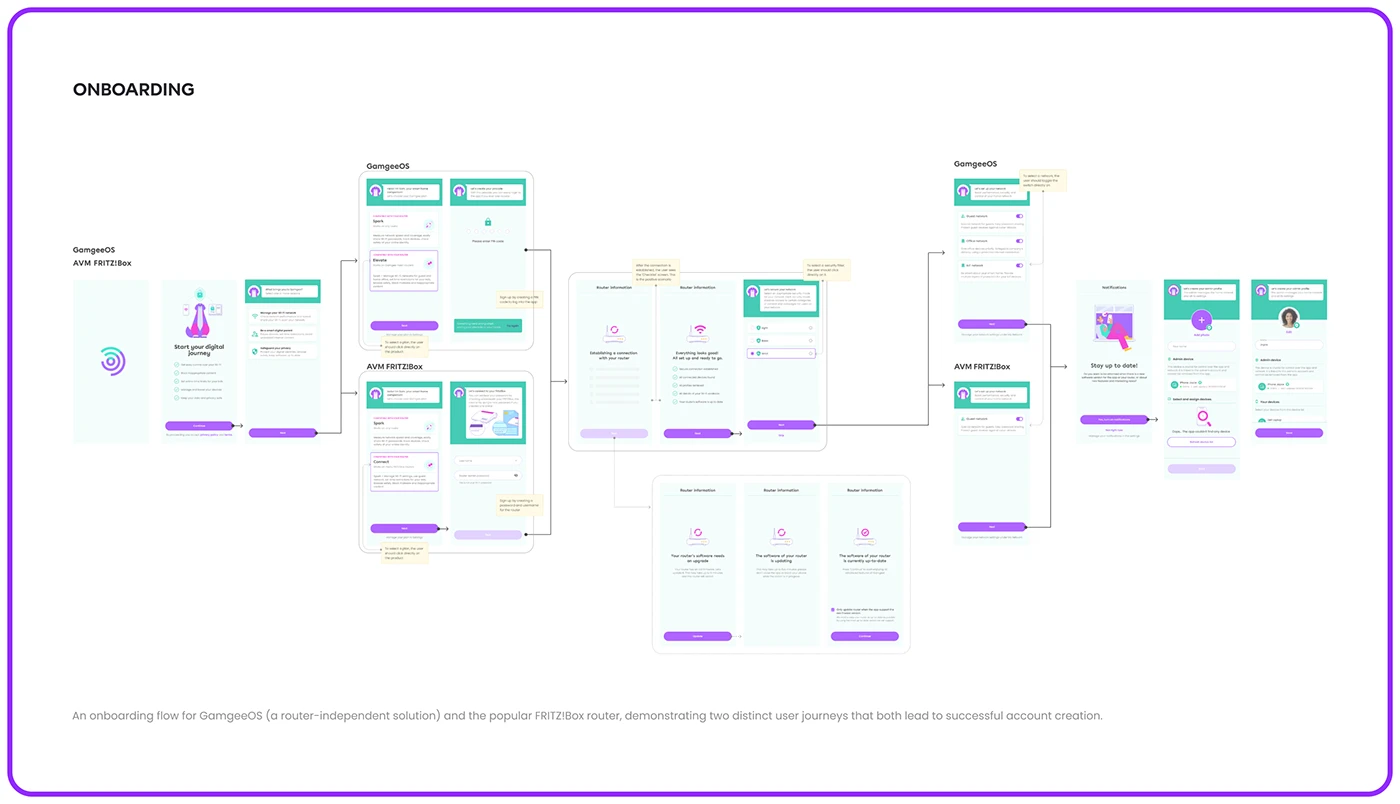
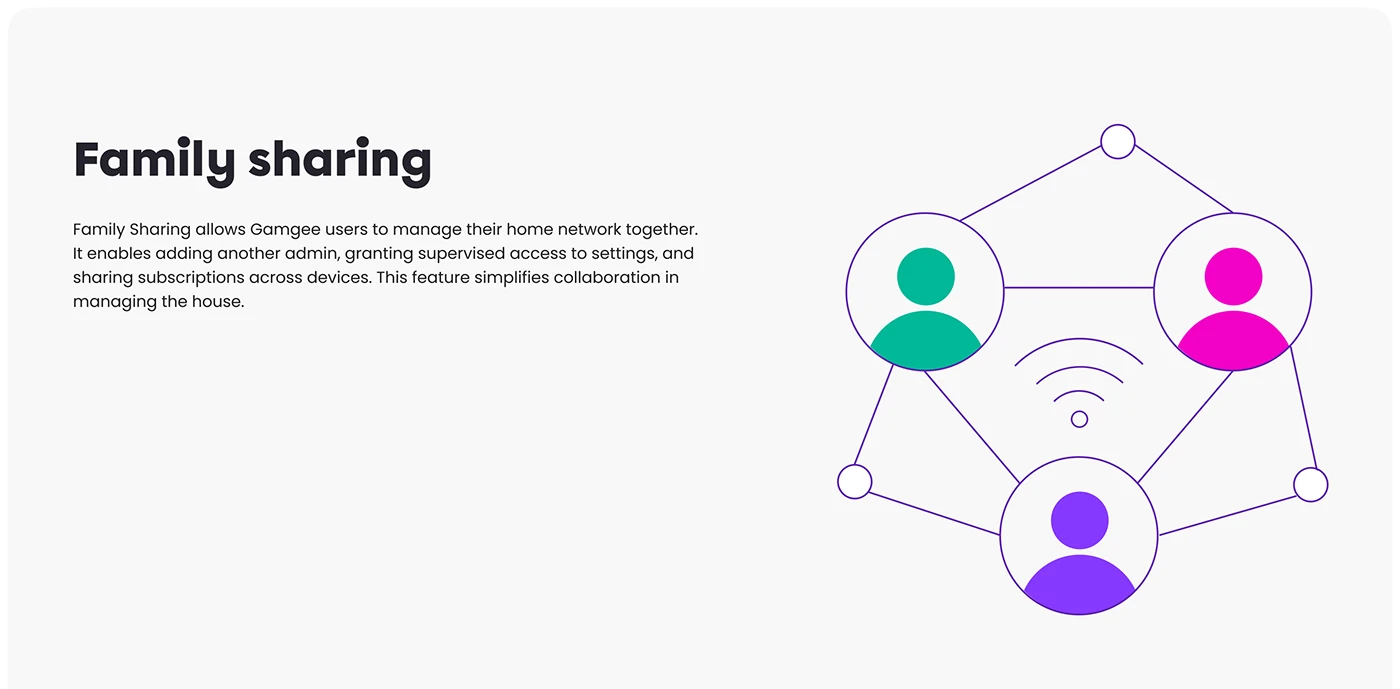
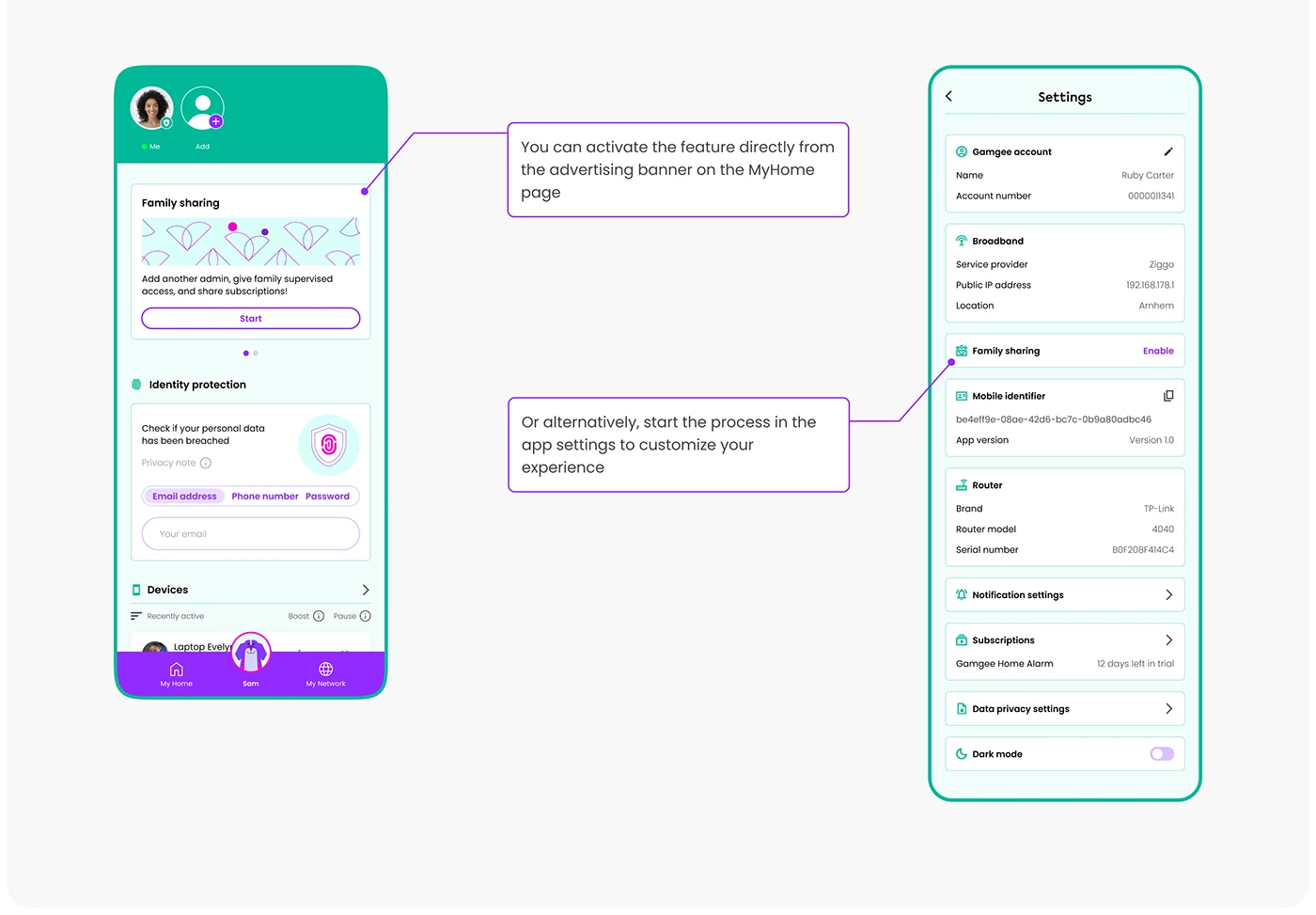
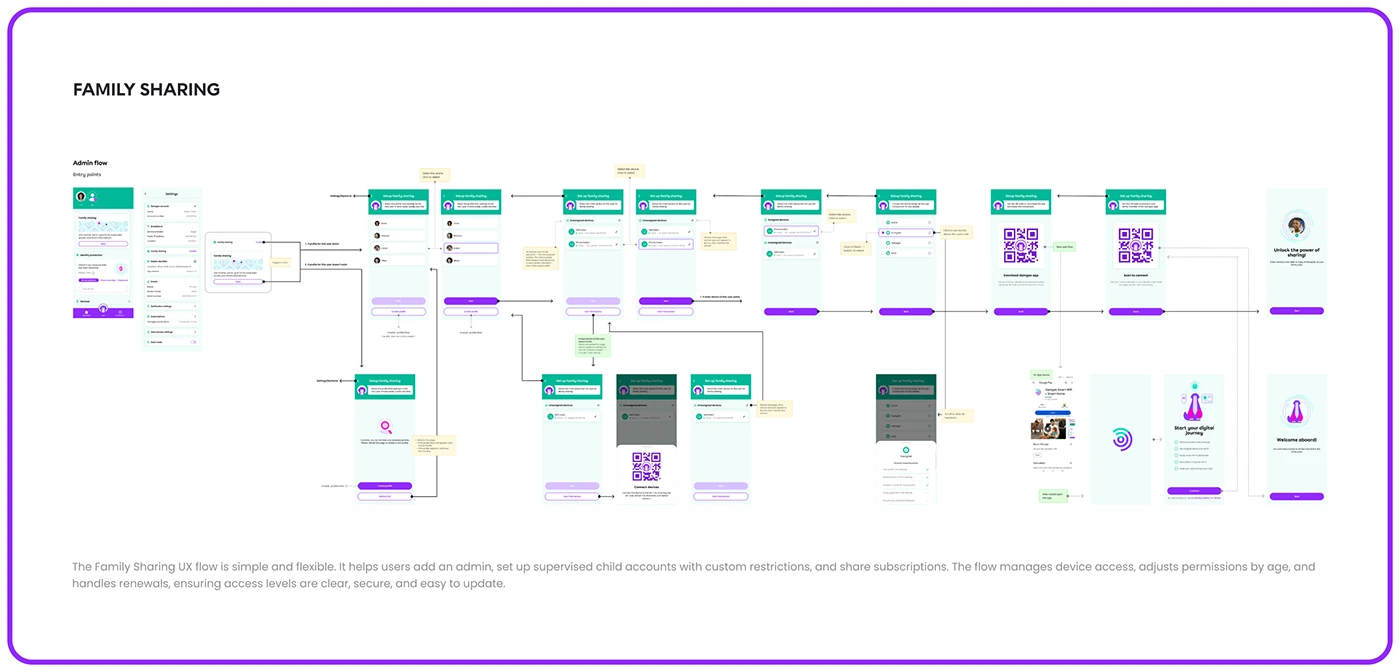
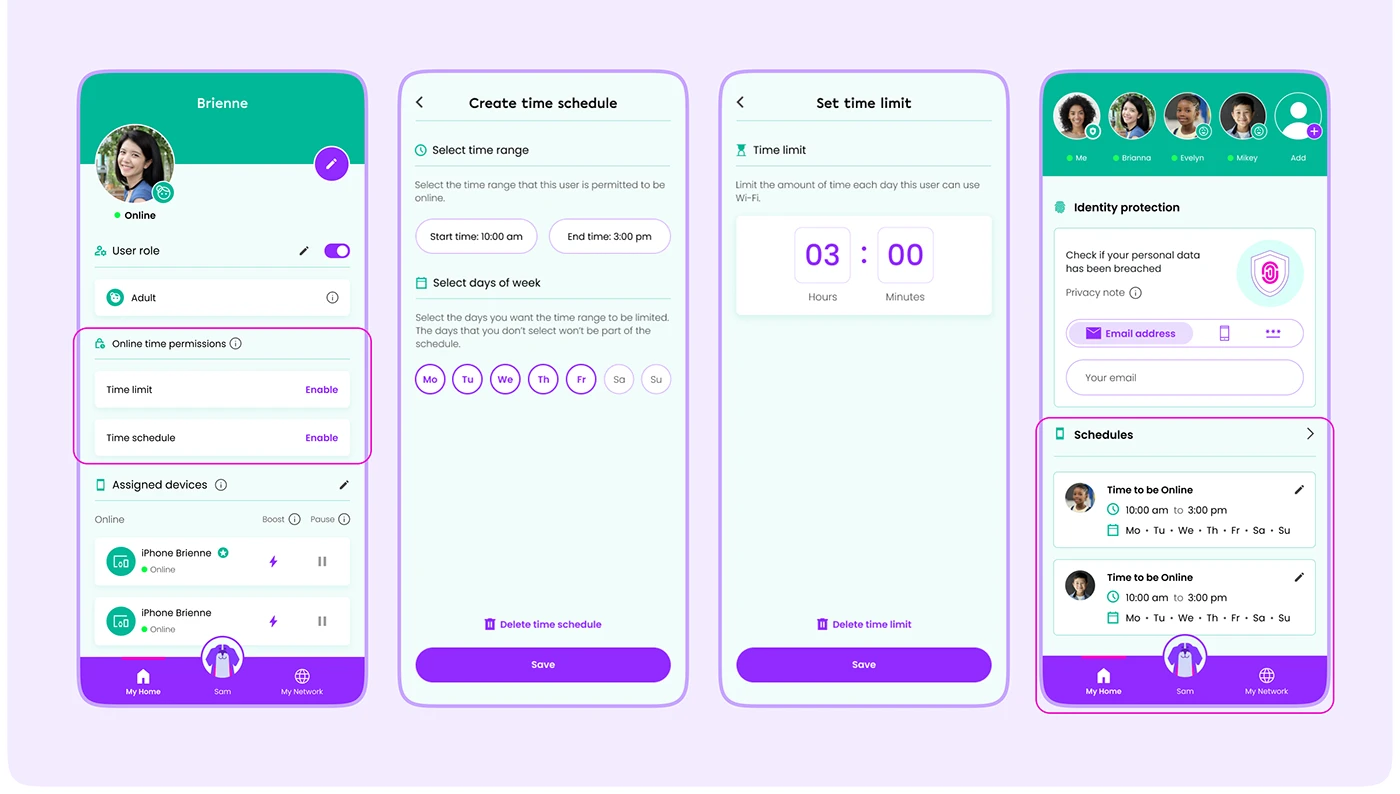
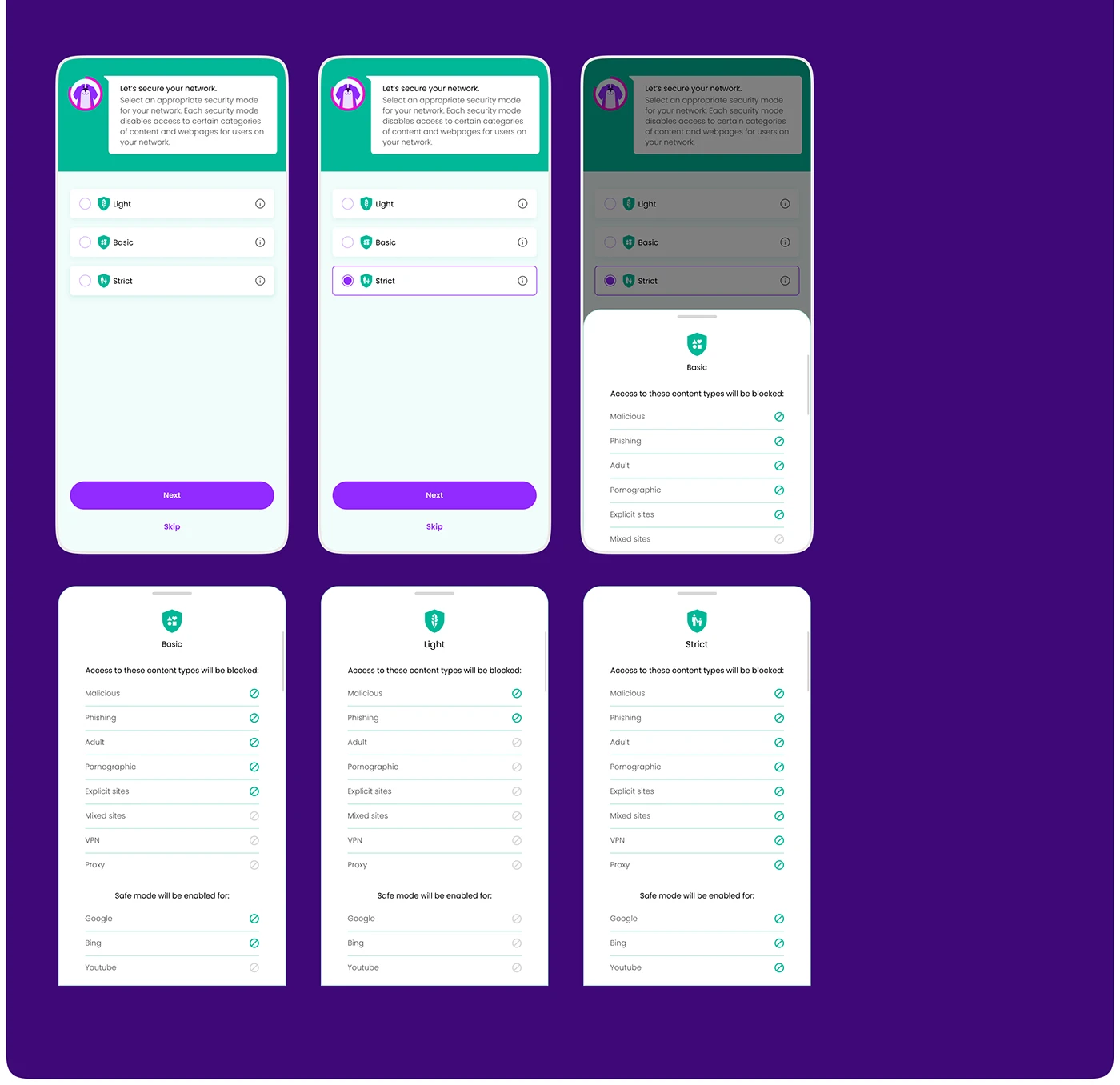
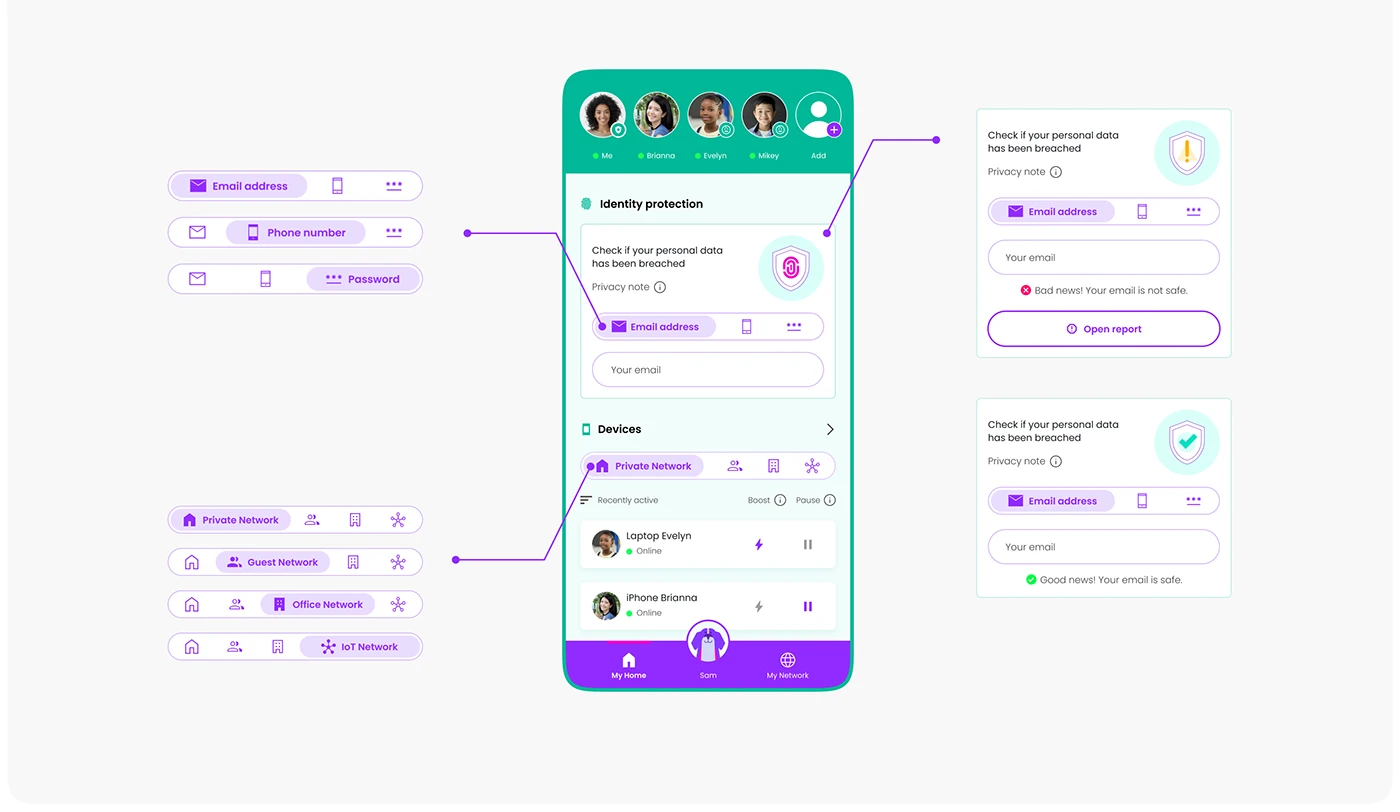
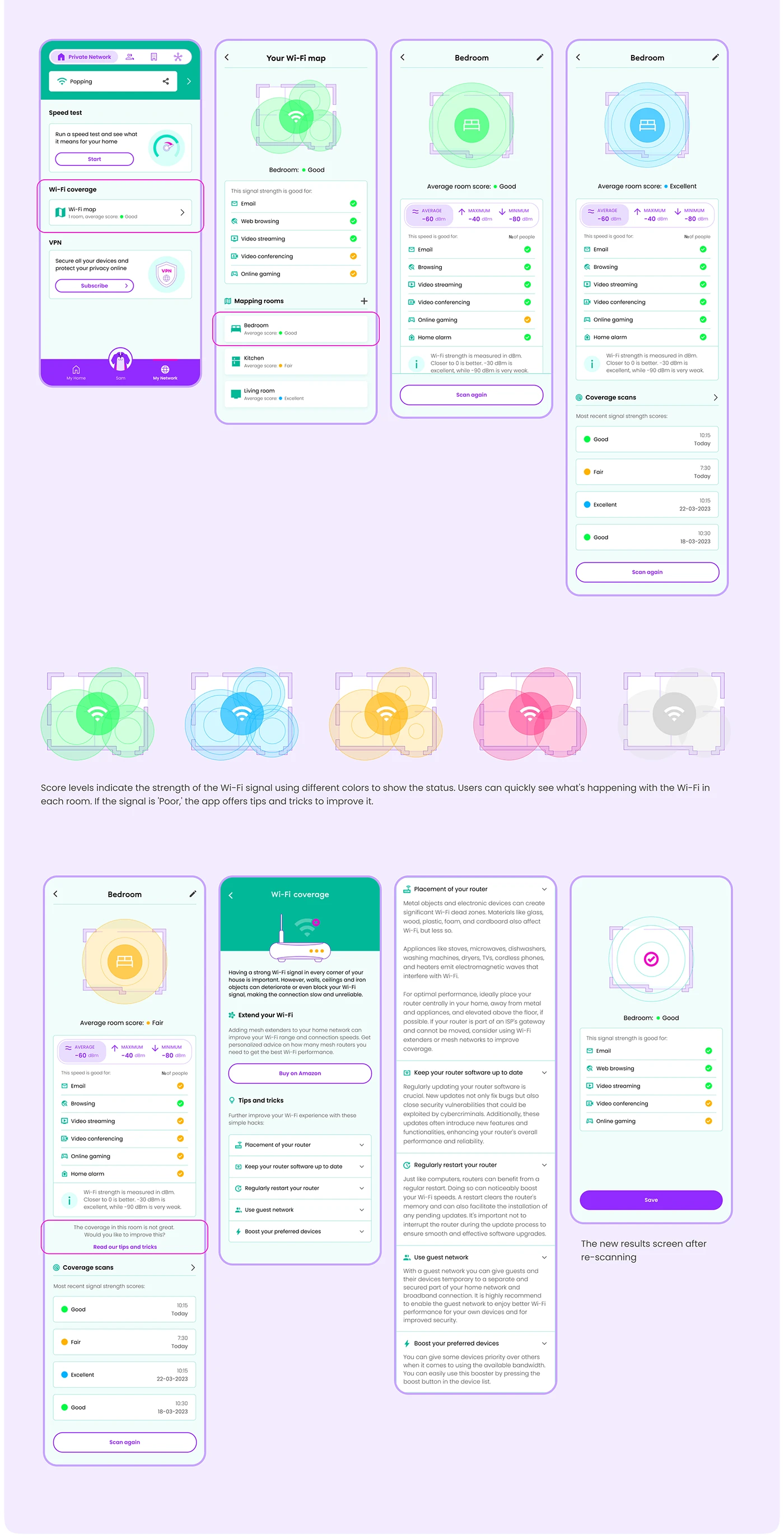
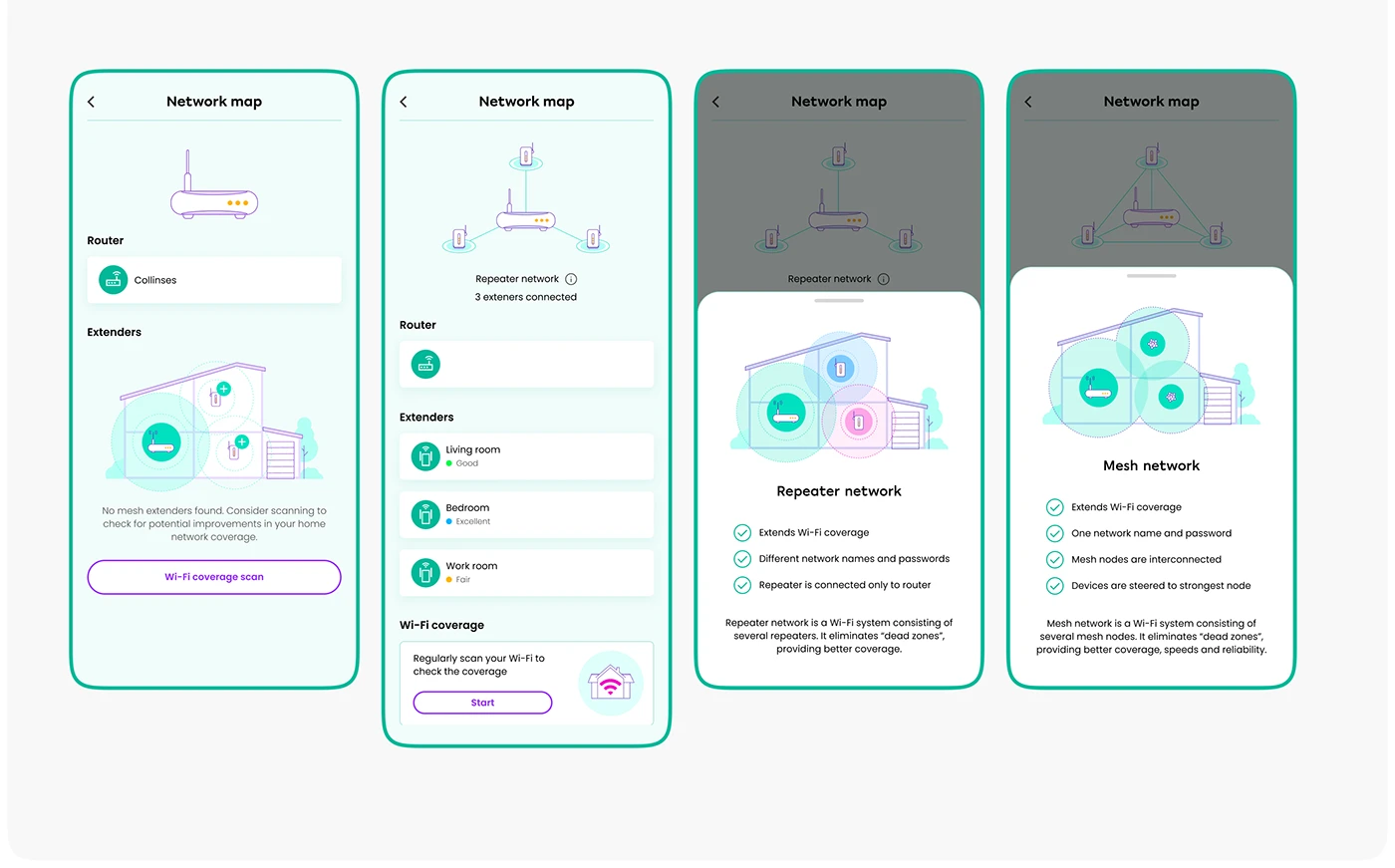
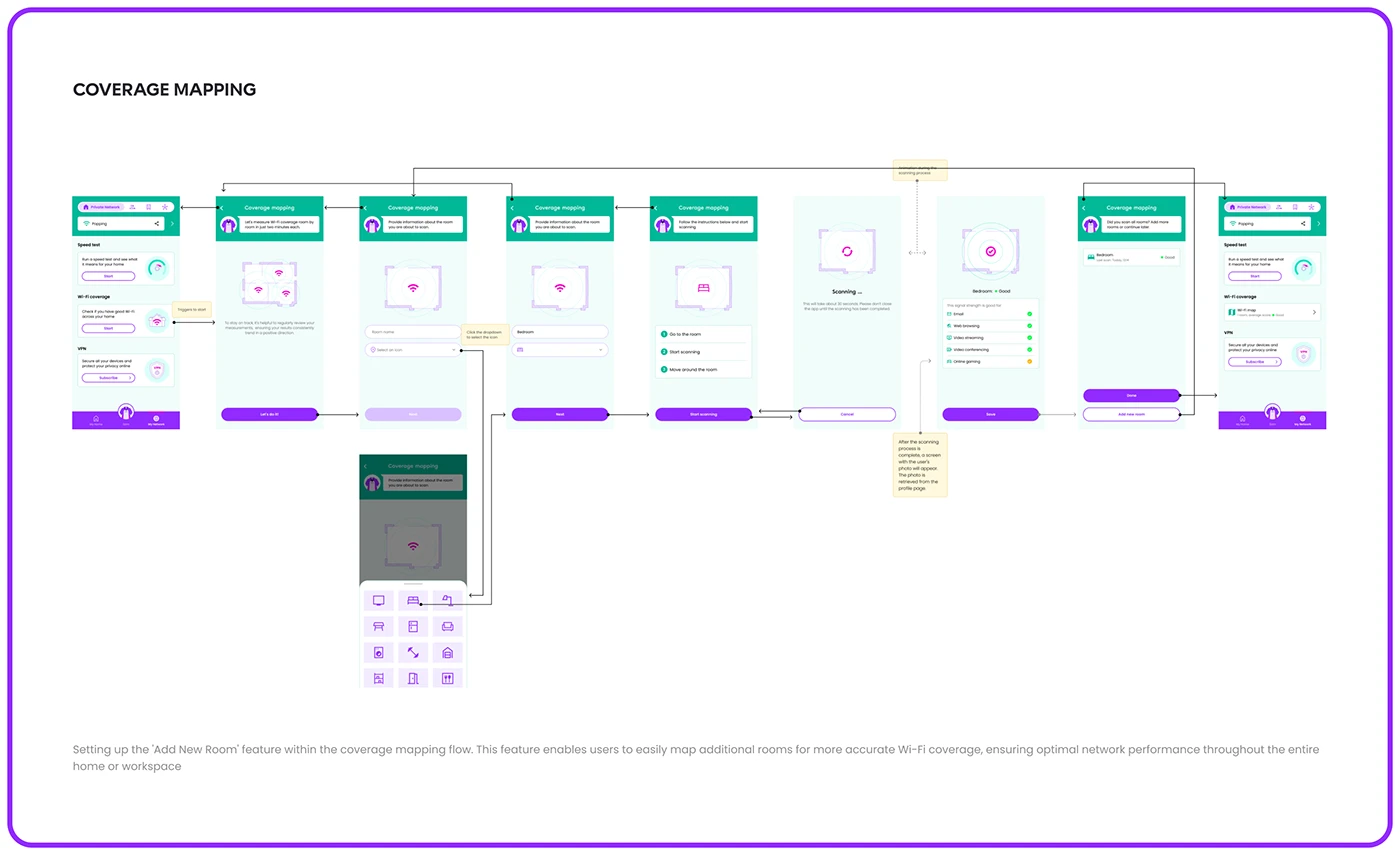
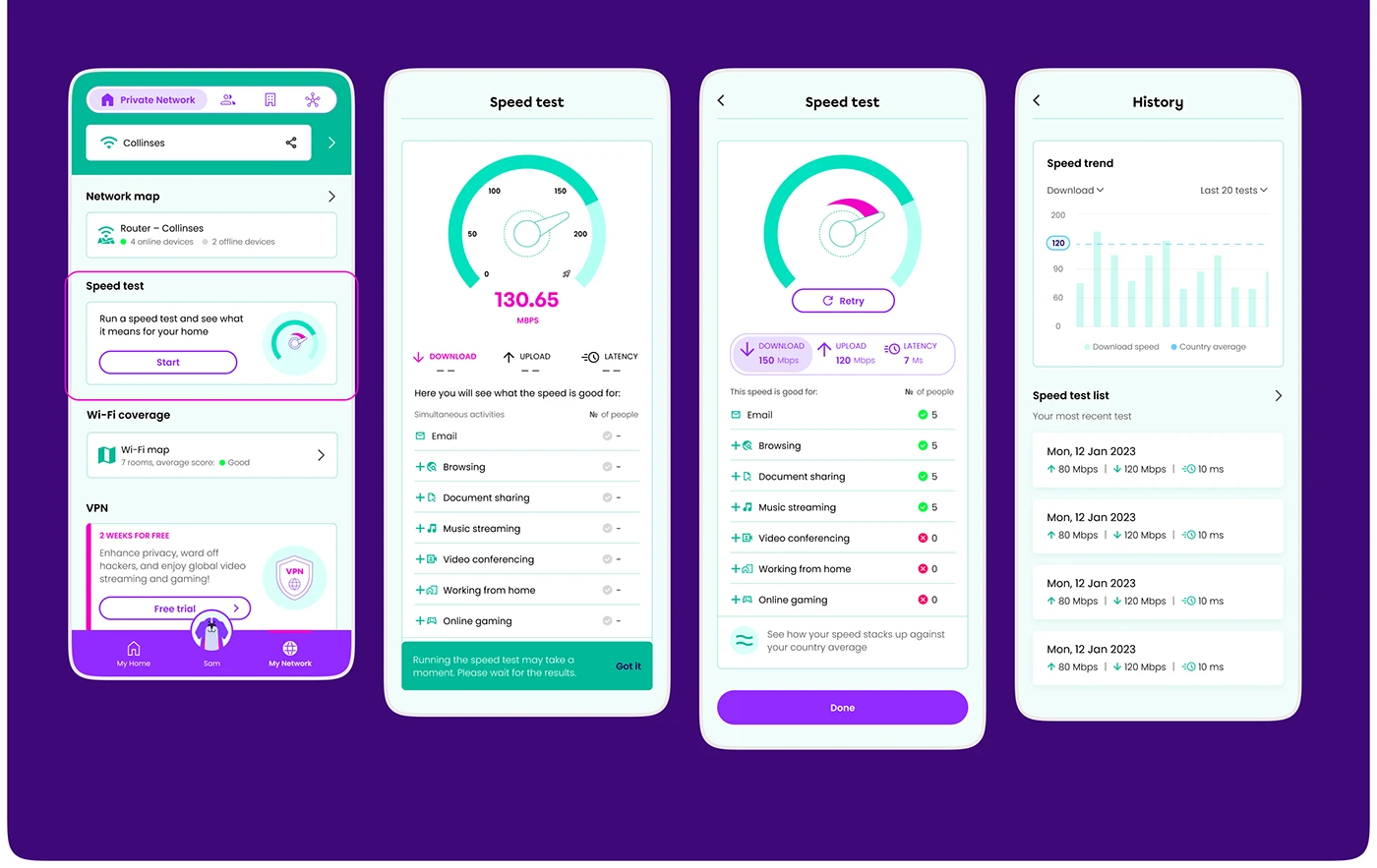
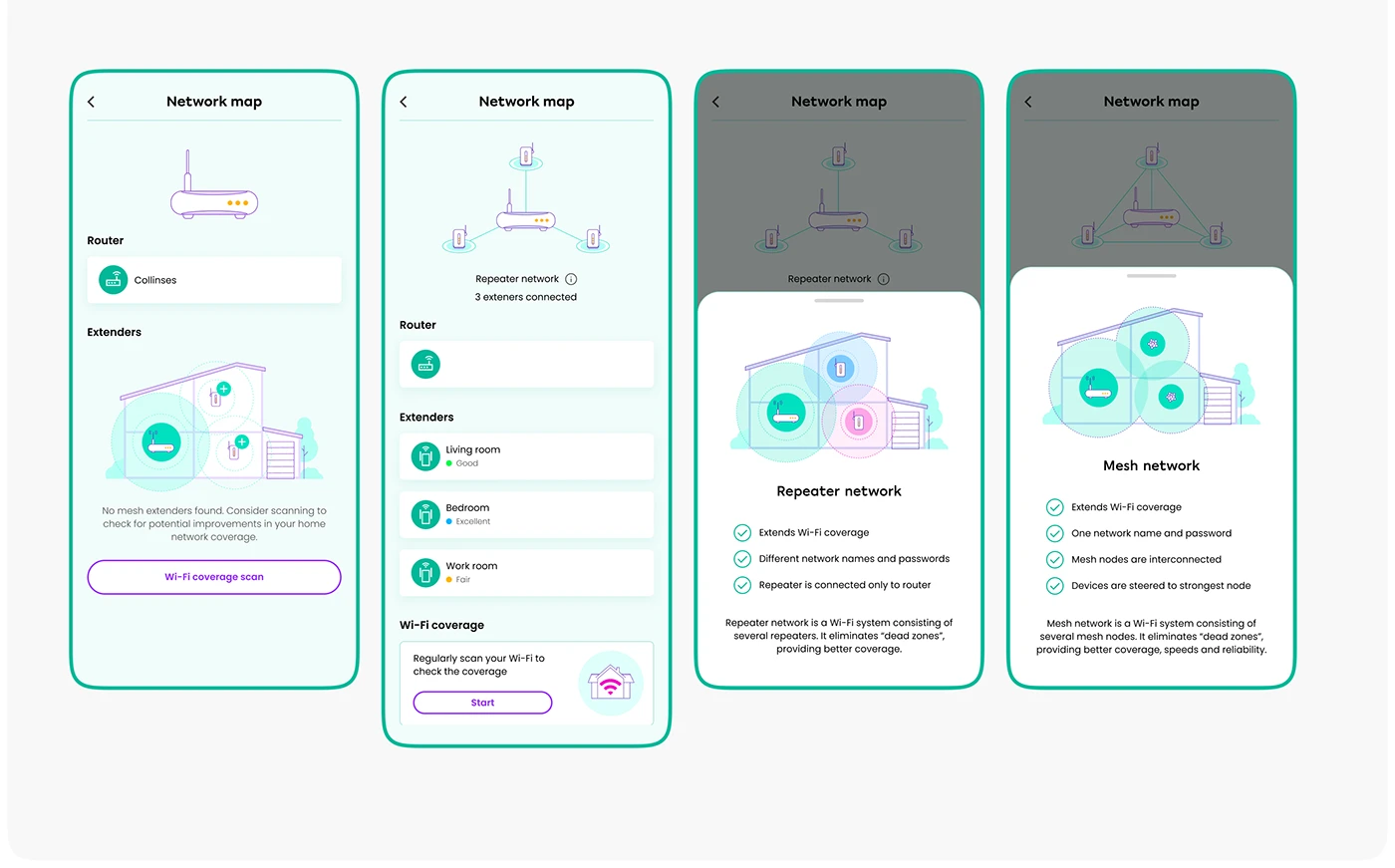
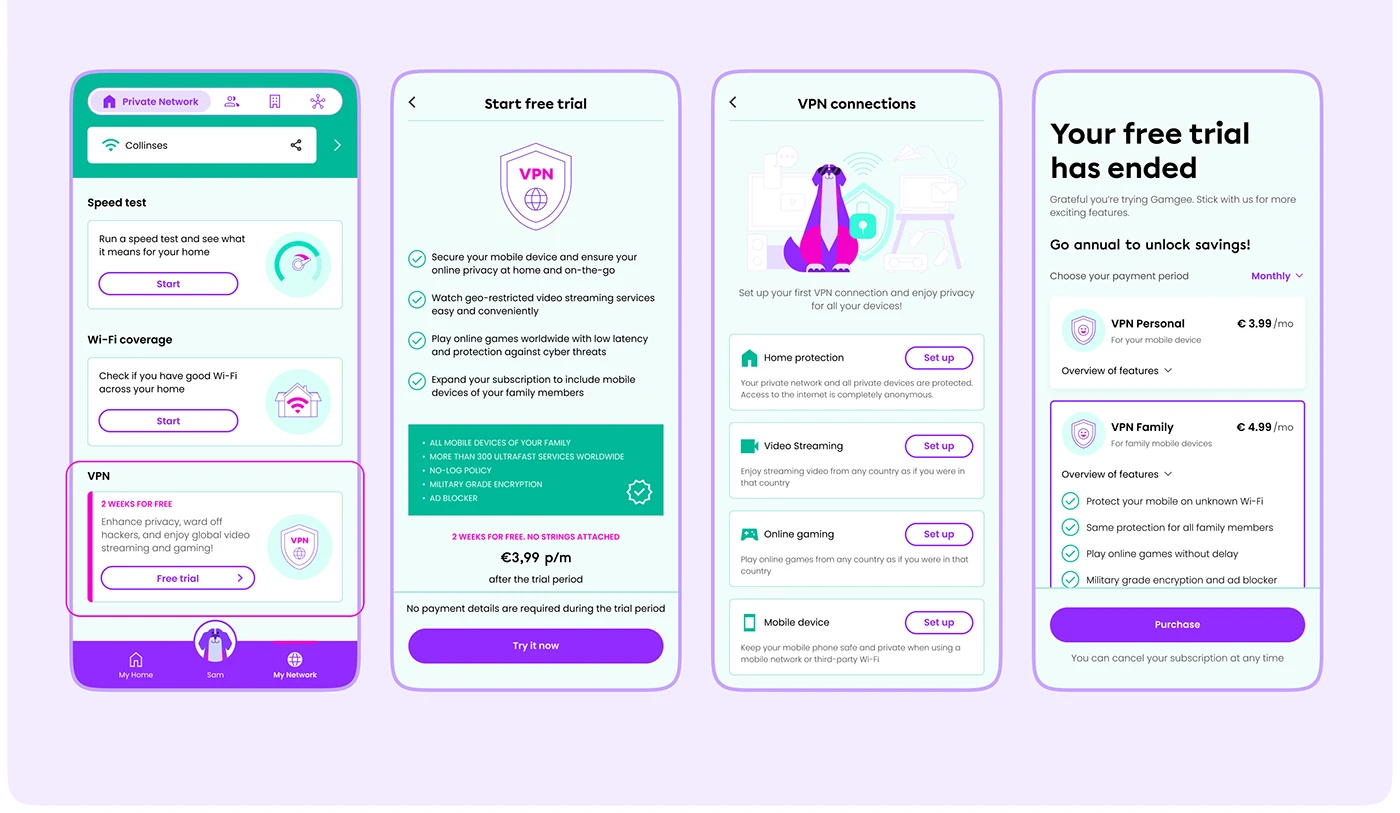
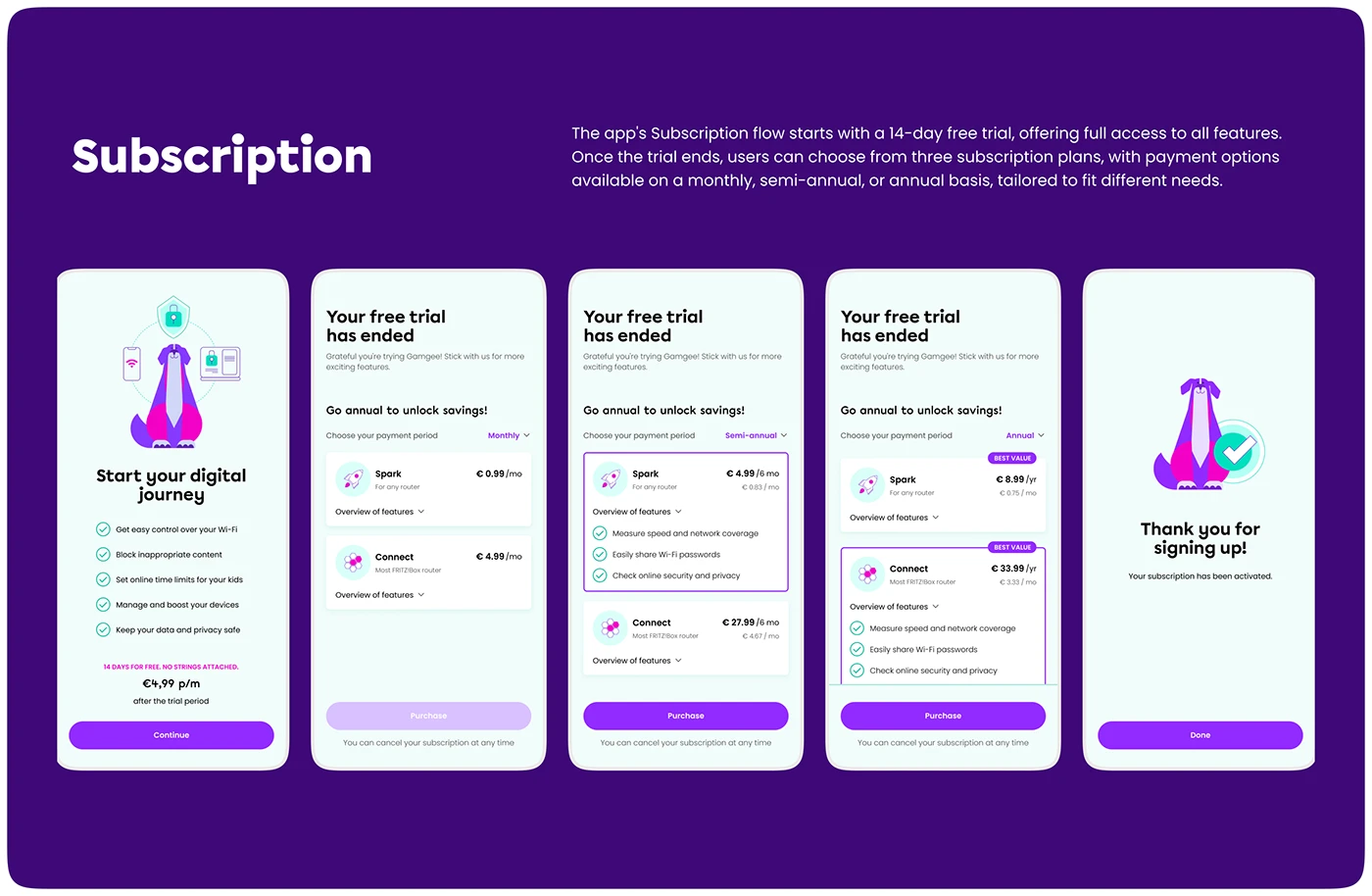
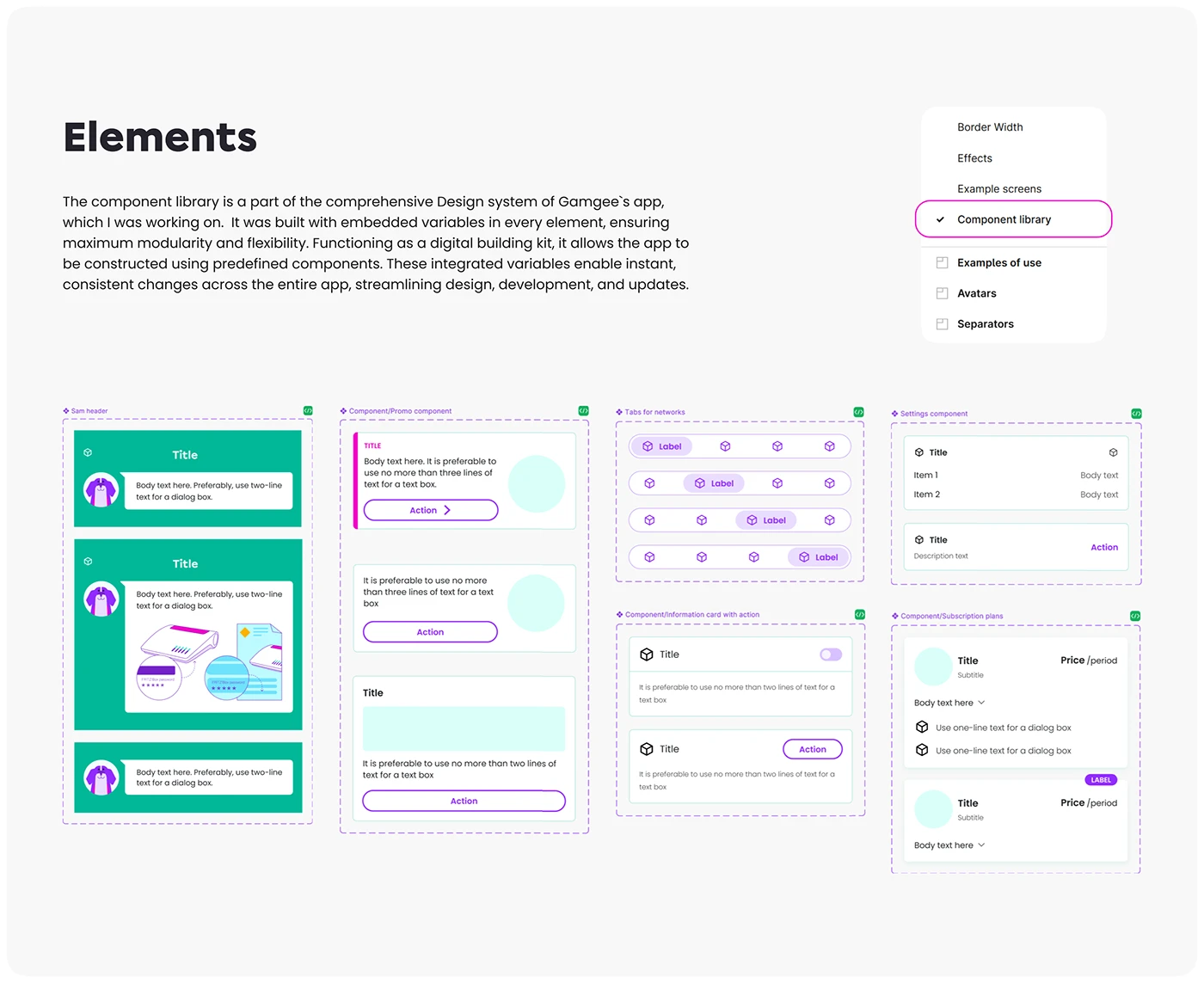
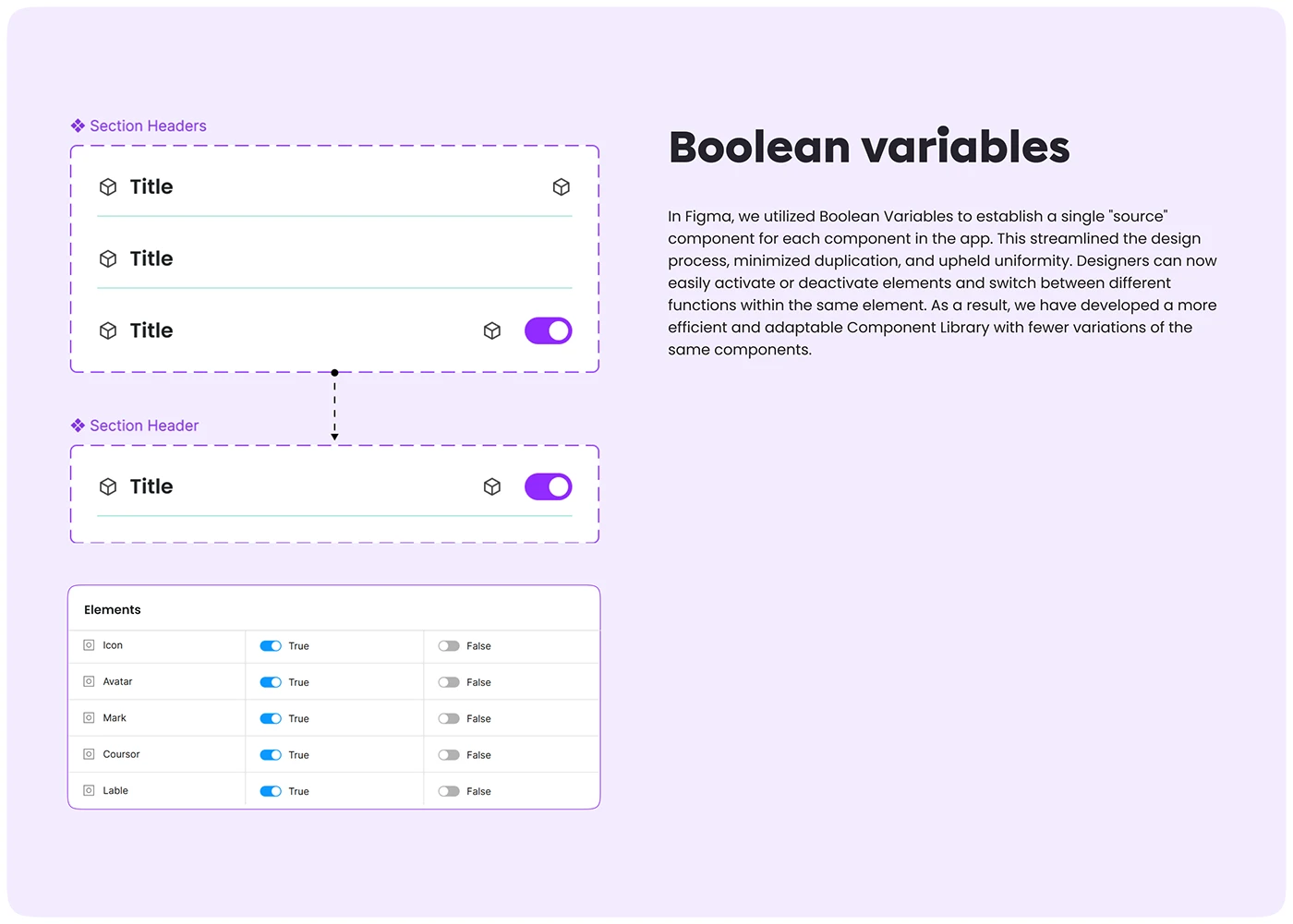
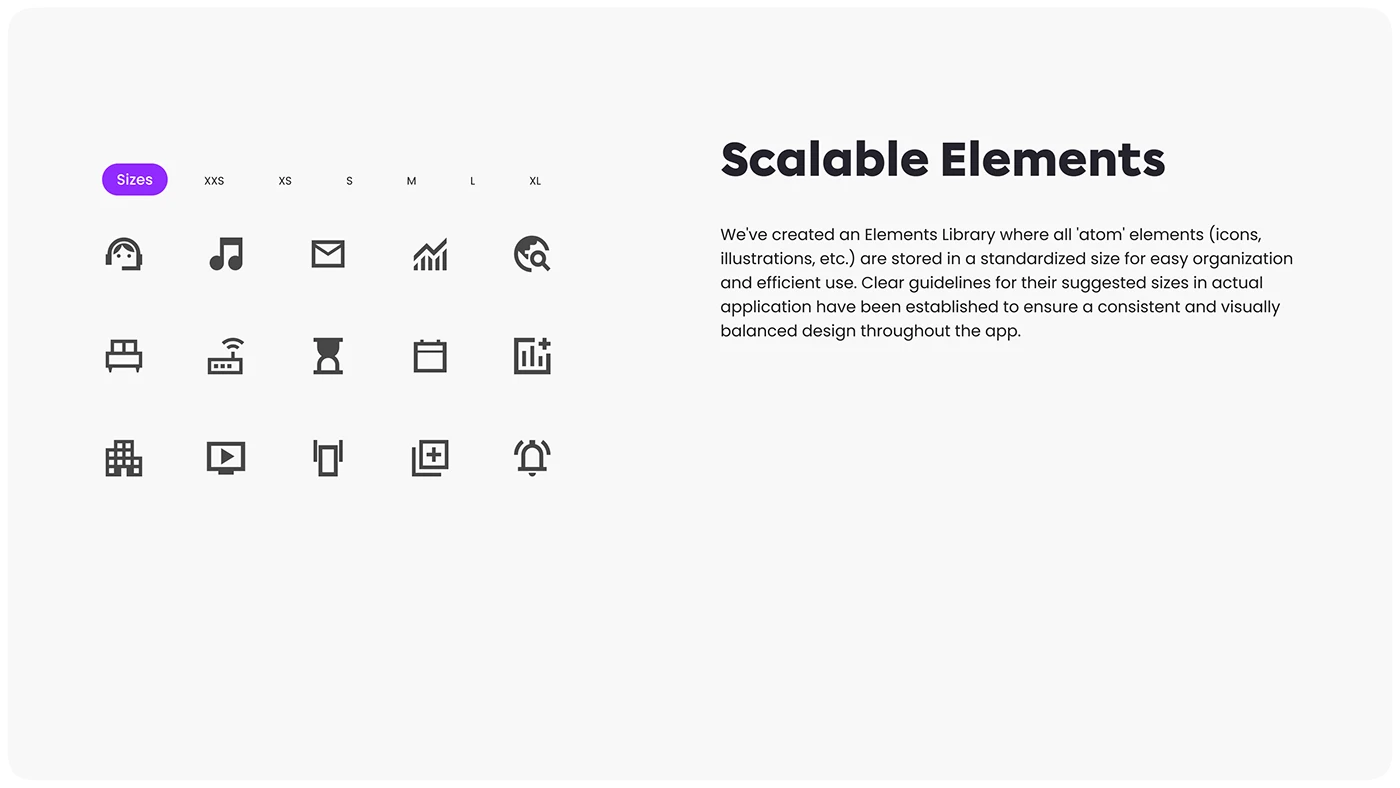
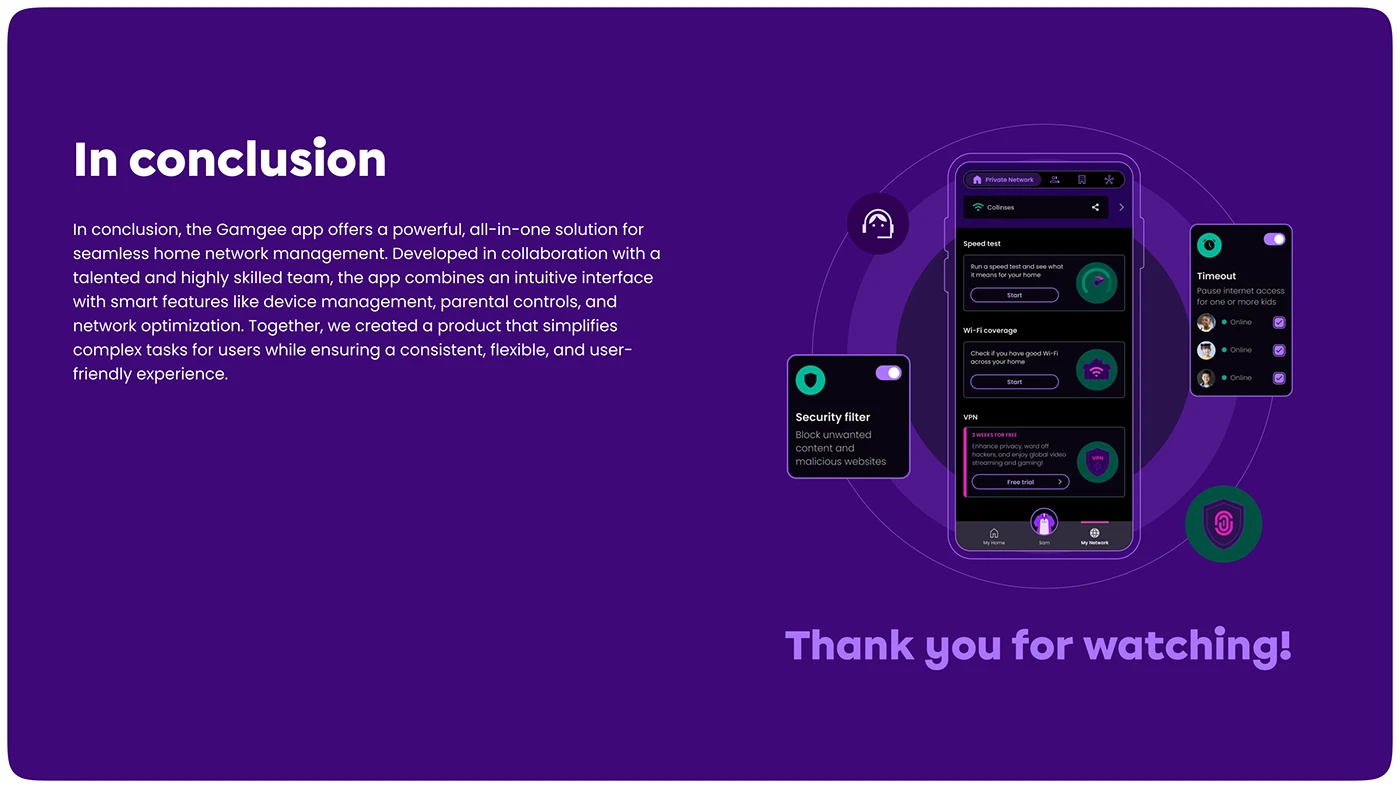
Gamgee app coverAbout Gamgee, an app for managing a household’s network and connected devicesGamgee app screens introducing the smart home, FRITZ!Box and quick actionsKey features of the Gamgee mobile appOnboarding journeys for GamgeeOS and FRITZ!Box router ownersFamily sharing lets households add an administrator, grant supervised access and share subscriptionsFamily sharing and identity protection screensFamily sharing flow for invitations, account roles and device accessParental controls for setting online time limits and schedulesProfile and device screens for managing a family member’s internet accessSecurity filters offer different levels of protection for household browsingNetwork setup screens comparing Basic, Light and Strict content filteringIdentity protection and network controls for a connected householdChecking for data breaches and switching between private, guest, office and IoT networksCoverage map for finding rooms with weak Wi-Fi signalsWi-Fi scan results, coverage scores and detailed room reportsNetwork map showing the router, extenders and Wi-Fi coverage scanCoverage mapping flow for adding a room to the homeSpeed test for checking download speed, upload speed and latencyRunning a speed test and reviewing what the connection supportsExtending Wi-Fi coverage with a repeater or mesh networkRouter and extender screens for setting up the network mapGamgee VPN features, free trial and plansVPN connection, trial and setup screensComparing subscriptions and billing periods after the free trialGamgee component libraryReusable components and variables in the app design systemComponent variants for section headers, avatars and other interface elementsSize guidelines for scalable icons and illustrationsConclusion and credits for the Gamgee app design team